Skip to content
macOS 14+ · Apple silicon e Intel

FindDiskKiller

See what keeps using your disk.

O FindDiskKiller reúne E/S de disco dos apps, espaço de agentes de IA, atividade de arquivos e integridade da unidade em um espaço nativo do macOS, além de ajudar a revisar conversas antigas do Codex e Claude.

App Activity: CPU, disk read/write, network download/upload — per process, sortable columns, adjustable widths. Four dimensions at once.

100%

Local Processing

0

Data Uploaded

macOS 14+

Supported

10

Languages

Everything in one workspace

Atividade dos apps, espaço de agentes de IA, arquivos, dispositivos e integridade em um só espaço.

Espaço dos agentes de IA

Inicie uma análise local do armazenamento do Codex e Claude, atribua o uso a cada thread ou sessão e revise conversas antigas antes da exclusão permanente por capacidades oficiais compatíveis.
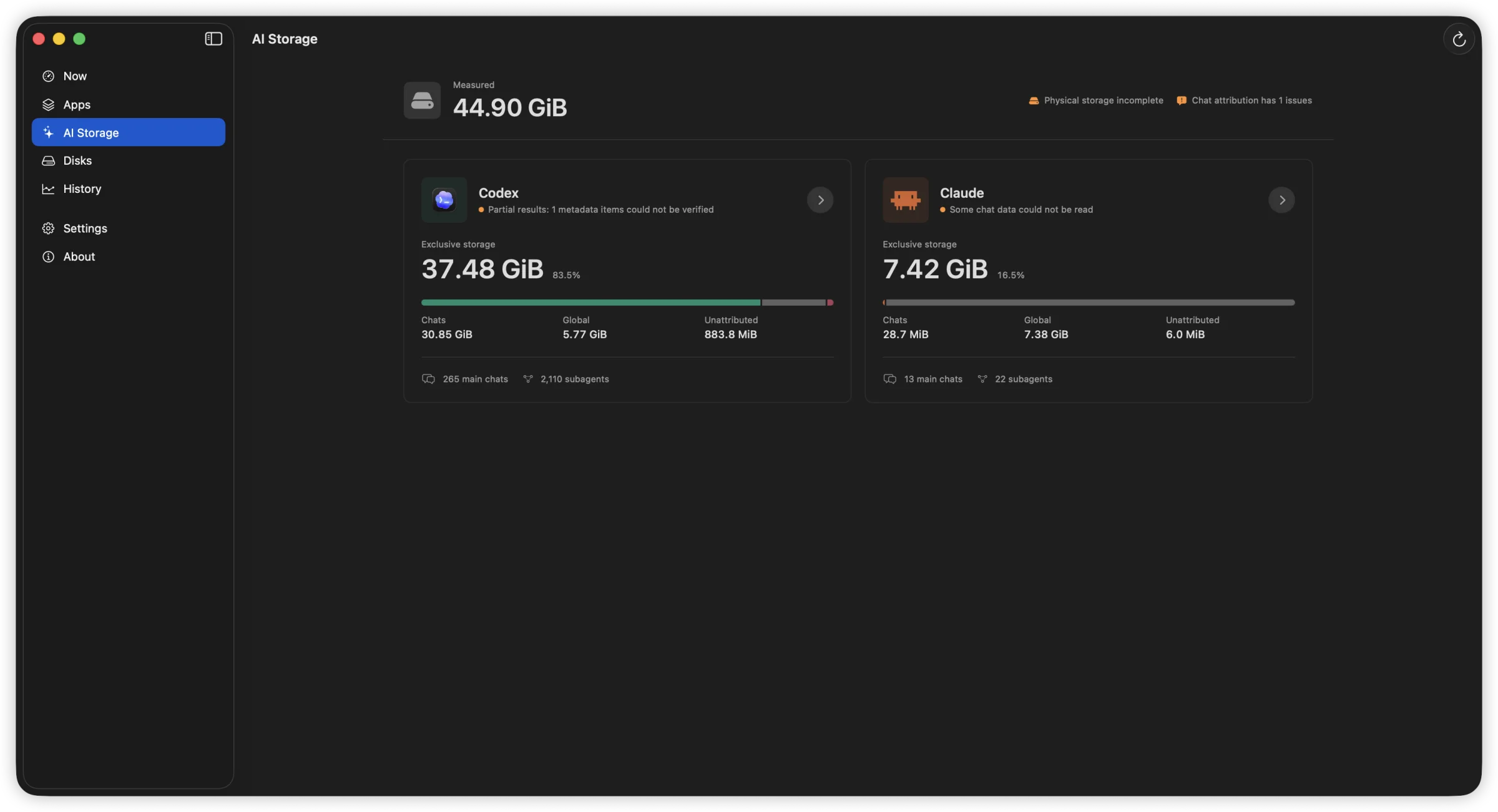
Visão geral do AI Storage com espaço de chats, global e não atribuído para Codex e Claude.
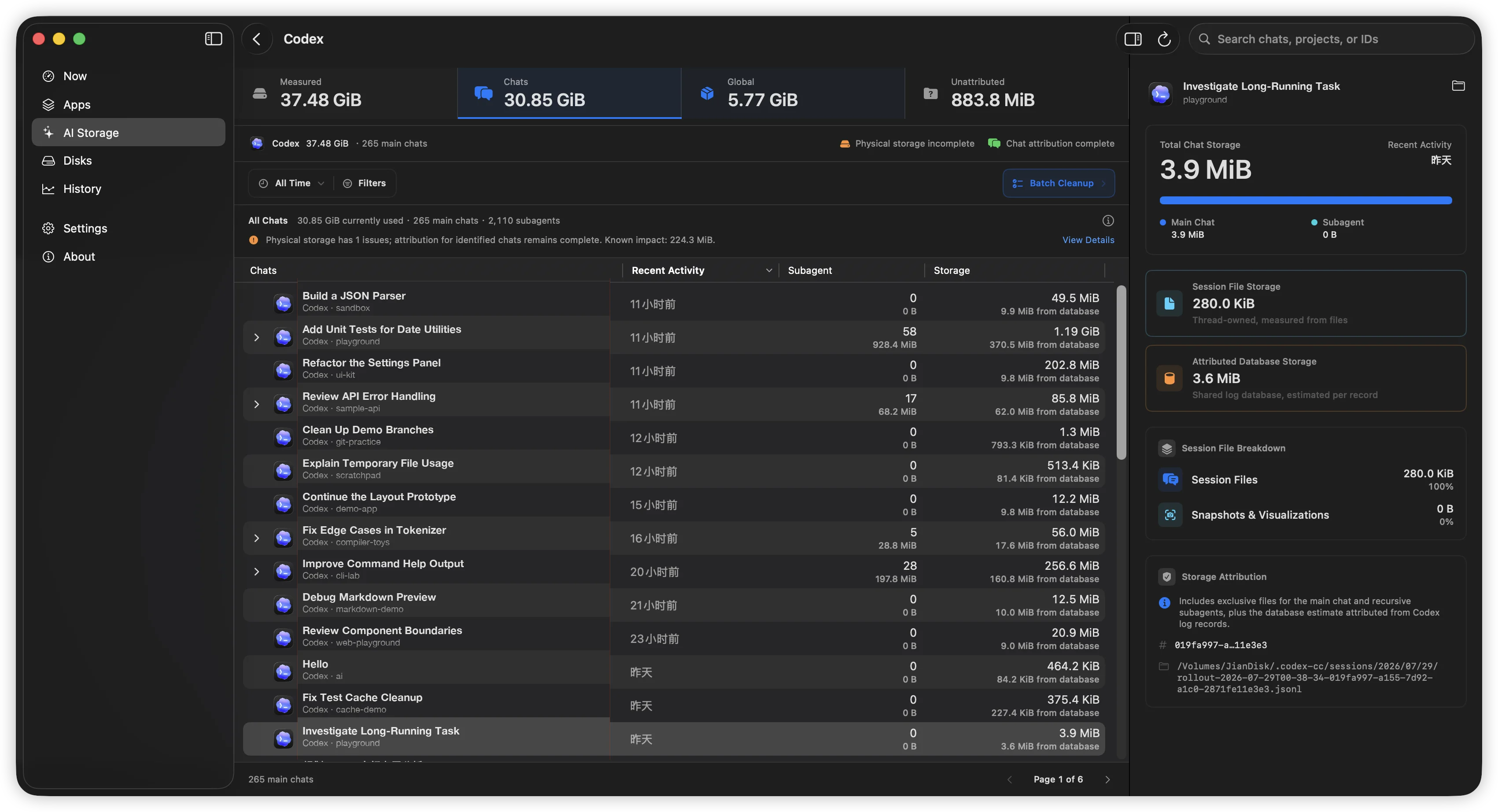
AI Storage do Codex com atividade e subagentes por thread, além da composição completa do armazenamento do thread selecionado à direita.
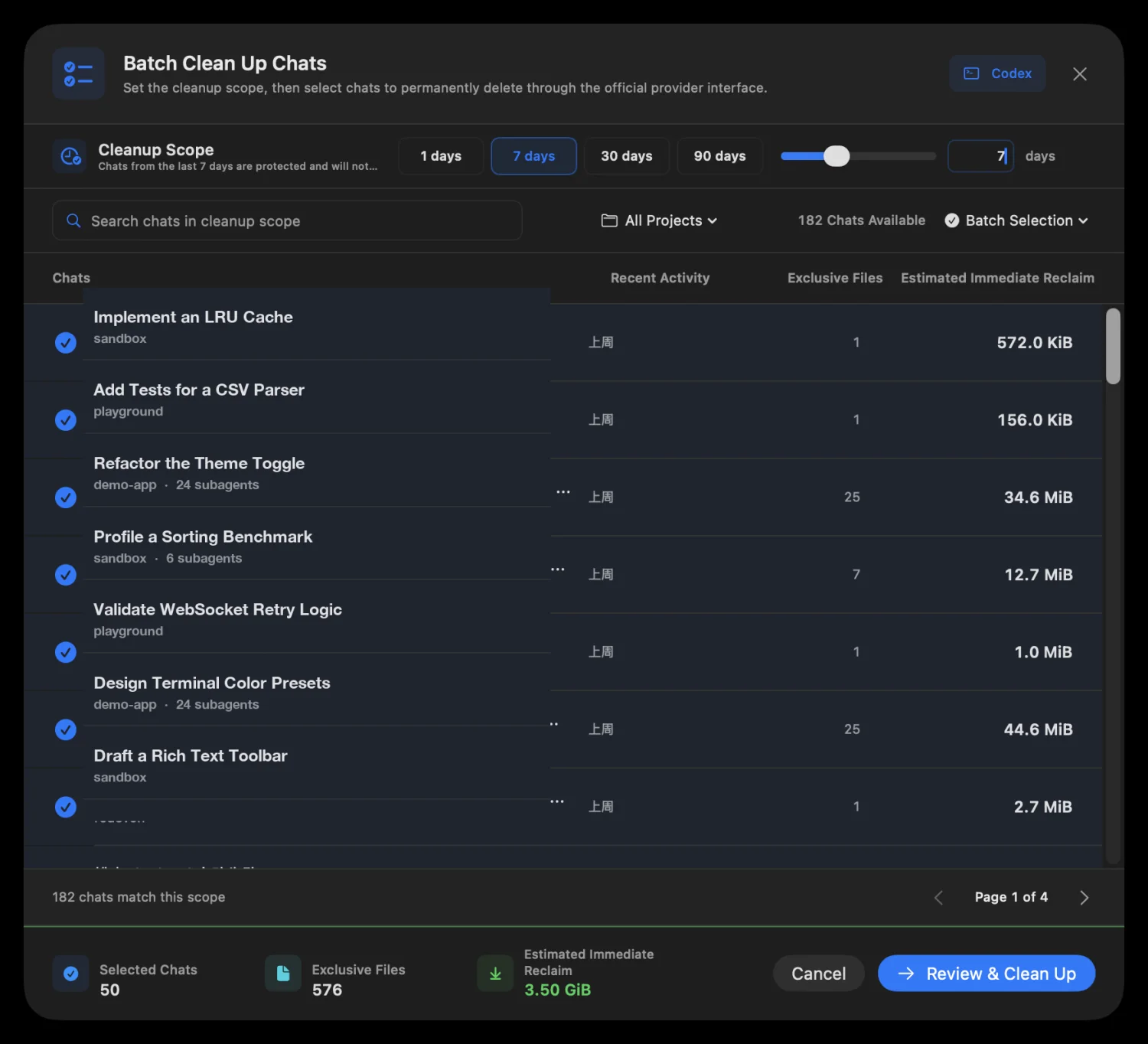
Revisão da limpeza em lote com conversas selecionadas e liberação imediata estimada.

A análise nunca começa automaticamente. Sessões ativas ou alteradas são ignoradas e providers incompatíveis nunca recorrem à gravação em banco ou remoção manual de transcripts. Claude Desktop e Cowork são excluídos no Claude Desktop.

App Activity

CPU, disk read/write, network download/upload — per process, sortable columns, adjustable widths. Four dimensions at once.

App Activity: 1-min, 15-min, and 1-hour line charts. Hover for exact values. Spot sustained patterns, not just momentary spikes.

File Activity

Open file locations, recently modified directories, and on-demand access tracing — start tracing any path to see who reads or writes it.

Open file locations, recently modified directories, and on-demand access tracing — start tracing any path to see who reads or writes it.
File Activity: Guided workflow into targeted per-file tracing

Disks & Volumes

Device throughput shown with familiar names — Macintosh HD, JianDisk — not cryptic identifiers. See which device is busy.

Temperature, lifetime reads/writes, wear level, spare capacity, power-on hours — only showing fields your hardware actually reports.

Device throughput shown with familiar names — Macintosh HD, JianDisk — not cryptic identifiers. See which device is busy.

Muito mais que outro monitor do sistema

O FindDiskKiller se concentra em uma tarefa: rastrear uma atividade contínua de disco até o app, os arquivos e o dispositivo físico responsáveis por ela.

Conventional resource viewsFindDiskKiller
Metrics split across separate viewsApp-centric workspace: disk, CPU, network, files together
Easy to see one-second spikes5-second rate, cumulative total, peak, and sustained patterns
Low-level device identifiersFamiliar volume names and storage relationships first
Missing values mistaken for zeroUnavailable, partial coverage, and reason explicitly shown
File events become a firehose of logsGuided workflow into targeted per-file tracing

Permissions & Privacy

Start monitoring immediately. Grant additional access only when you need it.

1

Open and use

Basic CPU, disk, network, volume, and process data are available without admin privileges.

2

Approve when needed

Um componente em segundo plano só é instalado quando você decide iniciar o rastreamento de um arquivo ou pasta.

Monitoring and analysis happen on your Mac. No process names, file paths, disk serial numbers, or monitoring history are uploaded. No ads, telemetry, or third-party tracking SDKs.

Frequently Asked Questions

How is this different from Activity Monitor?

Activity Monitor shows per-process resource usage but does not combine disk I/O, file activity, and drive health evidence in one workspace. FindDiskKiller adds time-range charts, targeted file tracing, and SMART/NVMe health data — all without sending your data off-device.

Does it work on external drives?

Yes. Physical device throughput is shown for all mounted volumes. For SMART/NVMe health data, availability depends on your enclosure and connection type. Many USB enclosures do not pass through SMART attributes; the UI explicitly marks unavailable data.

What permissions does it need?

O monitoramento básico funciona sem privilégios de administrador. No primeiro uso, o rastreamento de arquivos solicita a instalação de um componente em segundo plano. Locais protegidos podem exigir Acesso Total ao Disco nos Ajustes do Sistema. Você controla quando o rastreamento começa e termina.

Is my data uploaded anywhere?

No. All monitoring, analysis, and display happens on your Mac. No process names, file paths, disk serial numbers, or monitoring history are transmitted. The app contains no analytics, telemetry, or third-party tracking SDKs.

How do I completely remove it?

Quit the app, remove the background component in System Settings > General > Login Items & Extensions, then drag the app from Applications to Trash. No kernel extensions, launch daemons, or launch agents are installed. See the Uninstall page for step-by-step instructions.

Ready to find what's using your disk?

Baixar para macOS
Version 1.3.1713.4 MBmacOS 14.0+