
AI Agent 空間
明確啟動後在本機分析 Codex 與 Claude 空間,將占用歸因到具體 thread/session,並在透過支援的官方 provider 能力永久刪除舊對話前完成複核。
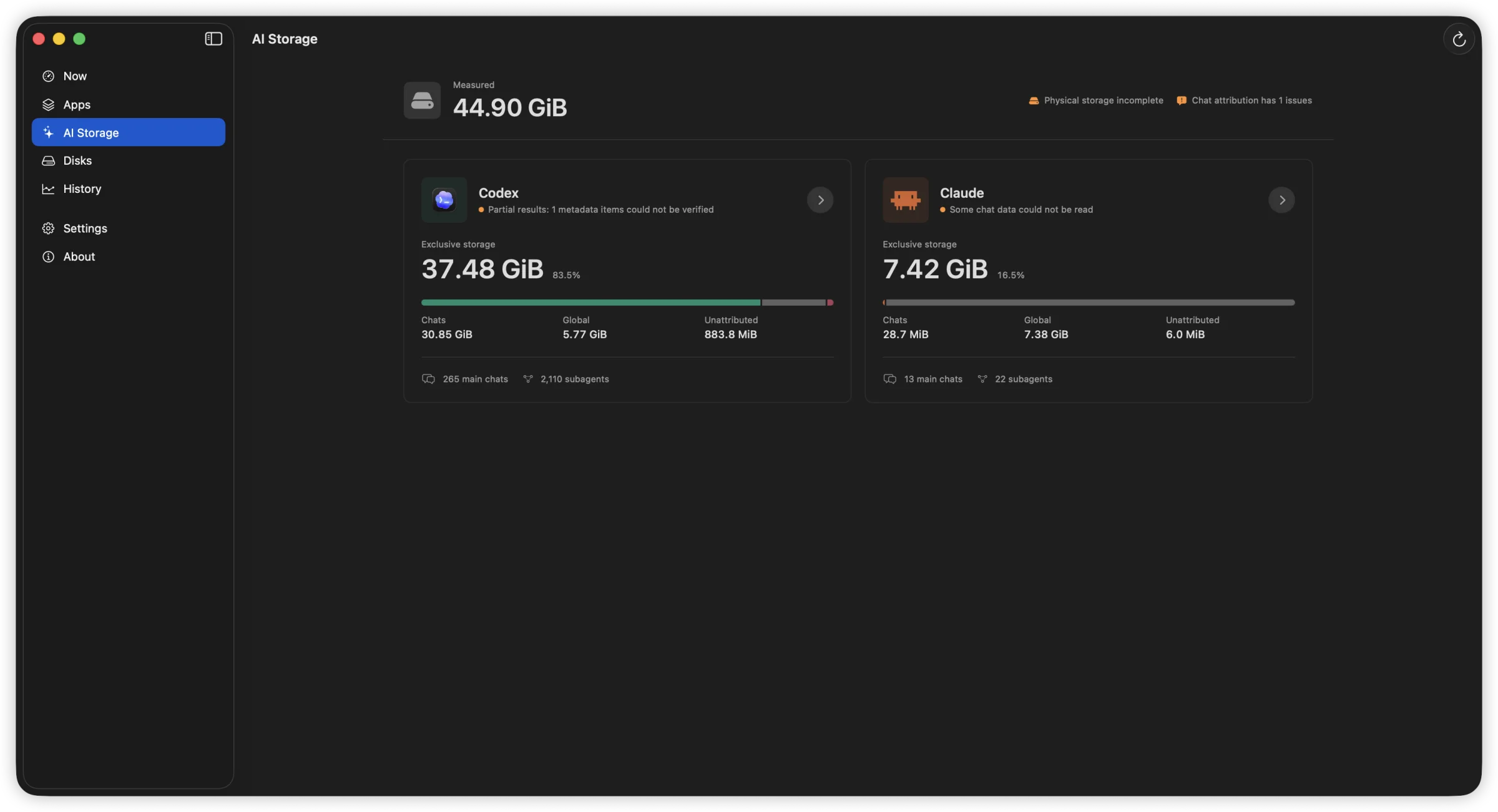
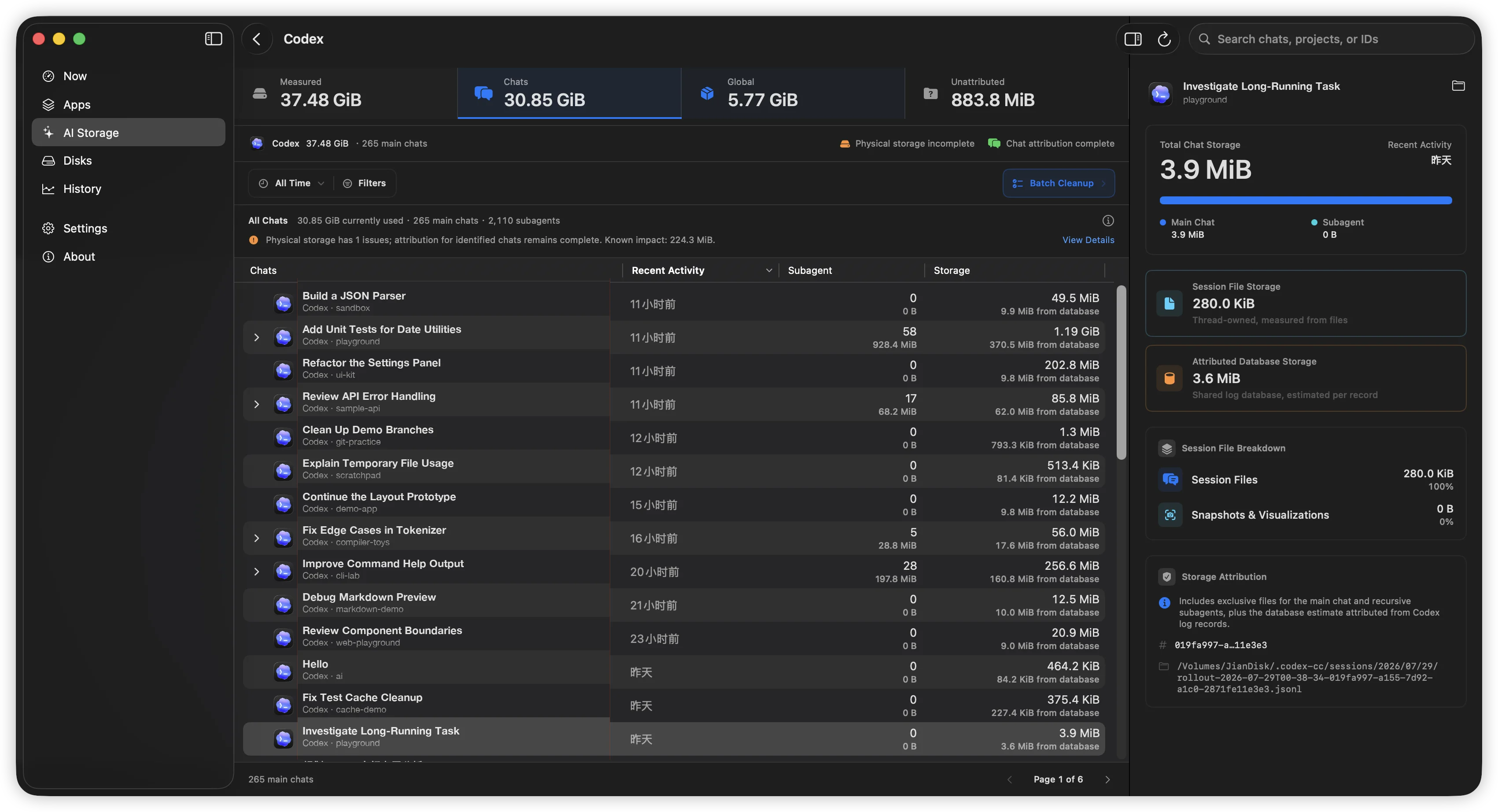
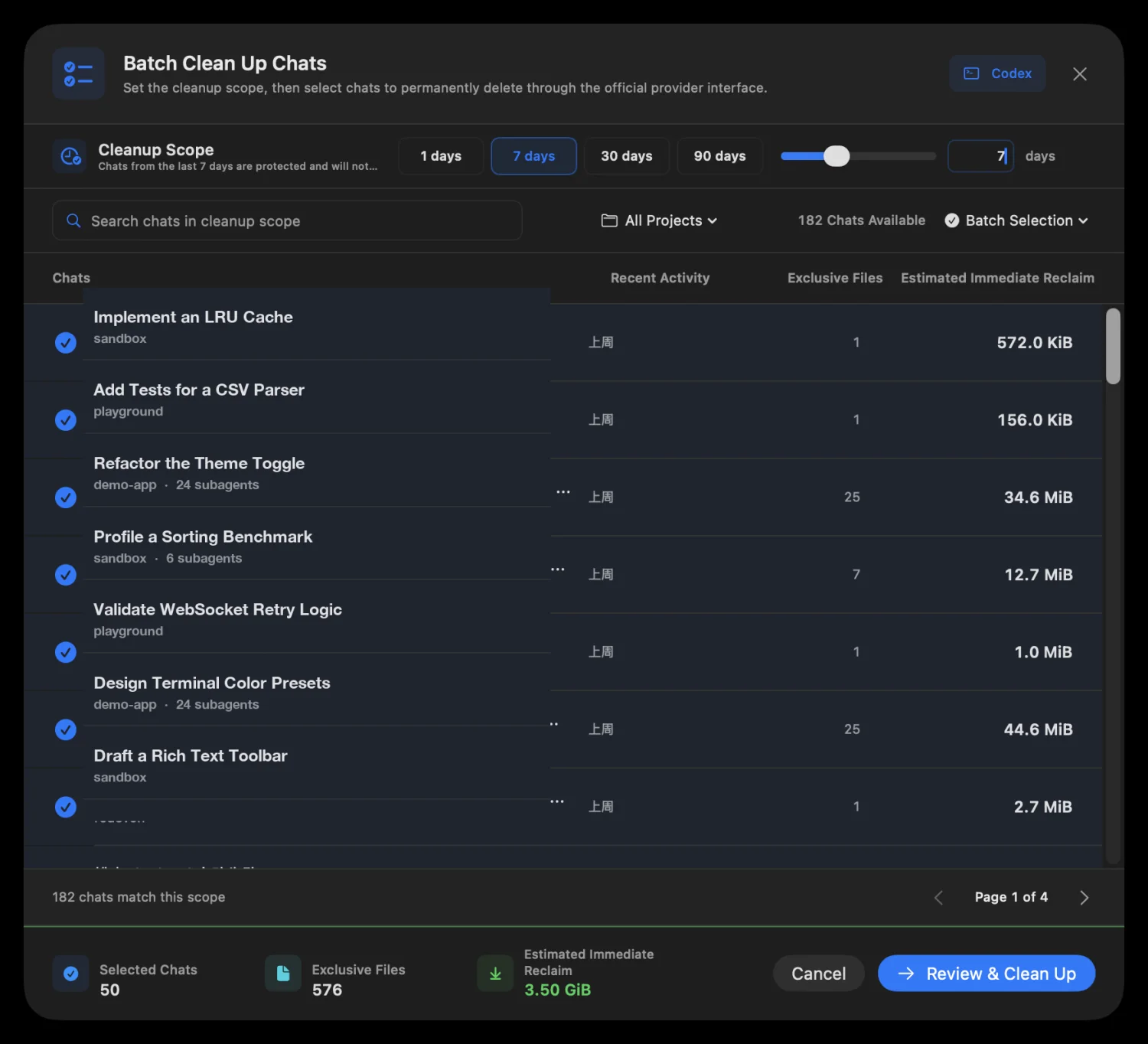
分析永遠不會自動開始。活動中或 identity 已改變的會話會跳過,不支援的 provider 絕不降級為寫入資料庫或手動刪除 transcript。Claude Desktop 與 Cowork 會話需在 Claude Desktop 內刪除。
See what keeps using your disk.
FindDiskKiller 將 App 磁碟 I/O、AI Agent 空間、檔案活動與磁碟健康證據放在同一個原生 macOS 工作區,並協助你安全複核不再需要的 Codex 與 Claude 對話。

100%
Local Processing
0
Data Uploaded
macOS 14+
Supported
10
Languages
Capabilities
App 活動、AI Agent 空間、檔案、裝置與健康資訊,在同一個工作區看清楚。
明確啟動後在本機分析 Codex 與 Claude 空間,將占用歸因到具體 thread/session,並在透過支援的官方 provider 能力永久刪除舊對話前完成複核。
分析永遠不會自動開始。活動中或 identity 已改變的會話會跳過,不支援的 provider 絕不降級為寫入資料庫或手動刪除 transcript。Claude Desktop 與 Cowork 會話需在 Claude Desktop 內刪除。
CPU, disk read/write, network download/upload — per process, sortable columns, adjustable widths. Four dimensions at once.

Open file locations, recently modified directories, and on-demand access tracing — start tracing any path to see who reads or writes it.


Device throughput shown with familiar names — Macintosh HD, JianDisk — not cryptic identifiers. See which device is busy.
Temperature, lifetime reads/writes, wear level, spare capacity, power-on hours — only showing fields your hardware actually reports.


Differentiation
FindDiskKiller 專注於一件事:從持續磁碟活動的訊號出發,一步步找出背後的應用程式、檔案與實體裝置。
| Conventional resource views | FindDiskKiller |
|---|---|
| Metrics split across separate views | App-centric workspace: disk, CPU, network, files together |
| Easy to see one-second spikes | 5-second rate, cumulative total, peak, and sustained patterns |
| Low-level device identifiers | Familiar volume names and storage relationships first |
| Missing values mistaken for zero | Unavailable, partial coverage, and reason explicitly shown |
| File events become a firehose of logs | Guided workflow into targeted per-file tracing |
Privacy by design
Start monitoring immediately. Grant additional access only when you need it.
Basic CPU, disk, network, volume, and process data are available without admin privileges.
只有在您選擇開始追蹤檔案或資料夾時,才會安裝背景元件。
Monitoring and analysis happen on your Mac. No process names, file paths, disk serial numbers, or monitoring history are uploaded. No ads, telemetry, or third-party tracking SDKs.
Activity Monitor shows per-process resource usage but does not combine disk I/O, file activity, and drive health evidence in one workspace. FindDiskKiller adds time-range charts, targeted file tracing, and SMART/NVMe health data — all without sending your data off-device.
Yes. Physical device throughput is shown for all mounted volumes. For SMART/NVMe health data, availability depends on your enclosure and connection type. Many USB enclosures do not pass through SMART attributes; the UI explicitly marks unavailable data.
基本監控無需管理員權限即可使用。首次使用檔案存取追蹤時,系統會提示安裝背景元件。追蹤受保護的位置可能需要在「系統設定」中授予「完整磁碟存取」權限。您可隨時控制追蹤的啟停。
No. All monitoring, analysis, and display happens on your Mac. No process names, file paths, disk serial numbers, or monitoring history are transmitted. The app contains no analytics, telemetry, or third-party tracking SDKs.
Quit the app, remove the background component in System Settings > General > Login Items & Extensions, then drag the app from Applications to Trash. No kernel extensions, launch daemons, or launch agents are installed. See the Uninstall page for step-by-step instructions.