Skip to content
macOS 14+ · Apple silicon et Intel

FindDiskKiller

See what keeps using your disk.

FindDiskKiller réunit les E/S disque des apps, l’espace des agents IA, l’activité des fichiers et l’état du disque dans un espace macOS natif, puis aide à examiner les anciennes conversations Codex et Claude.

App Activity: CPU, disk read/write, network download/upload — per process, sortable columns, adjustable widths. Four dimensions at once.

100%

Local Processing

0

Data Uploaded

macOS 14+

Supported

10

Languages

Everything in one workspace

Activité des apps, espace des agents IA, fichiers, périphériques et état du disque dans un même espace.

Espace des agents IA

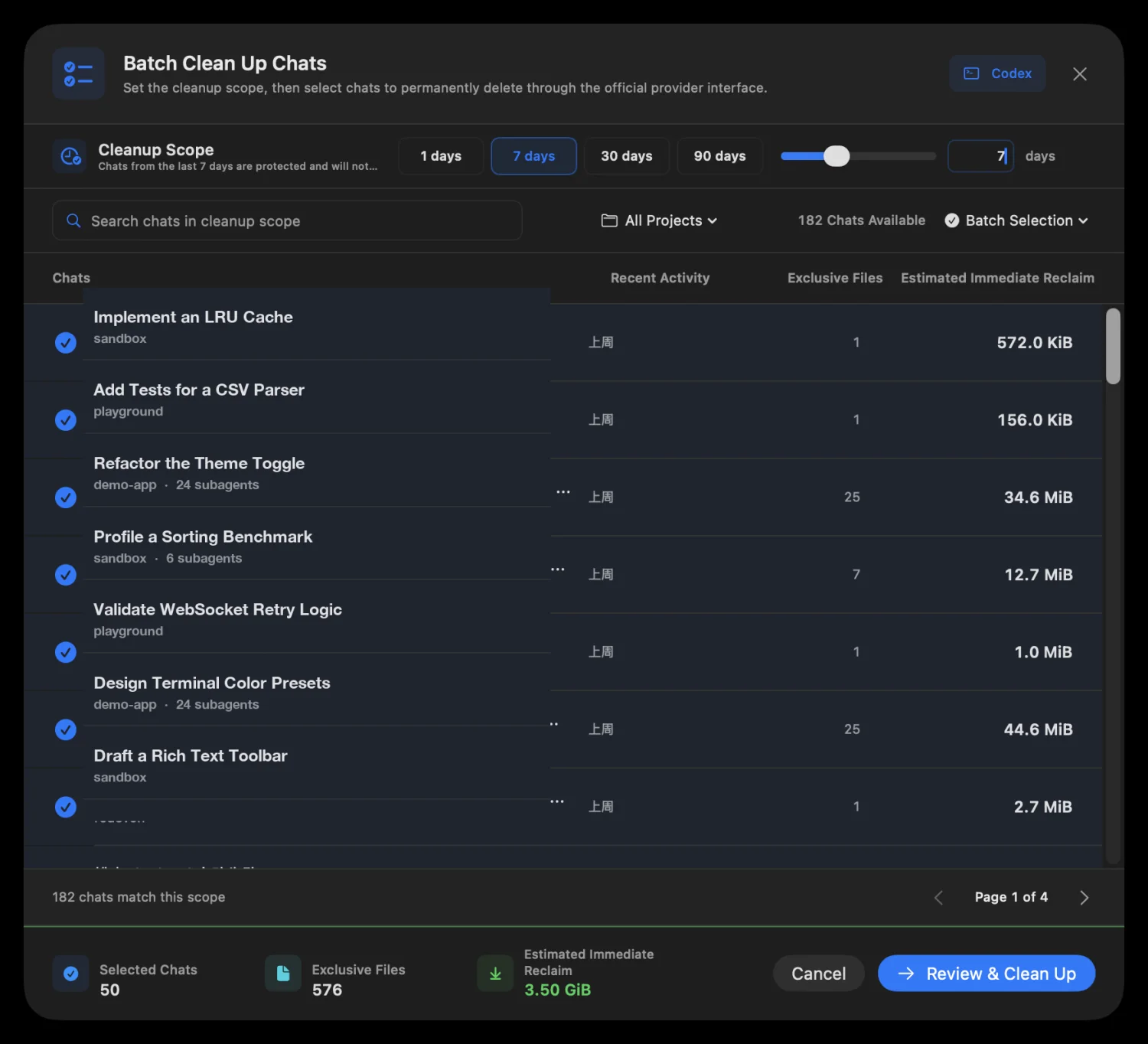
Lancez une analyse locale du stockage Codex et Claude, attribuez l’espace à chaque thread ou session, puis examinez les anciennes conversations avant leur suppression définitive via les capacités officielles prises en charge.
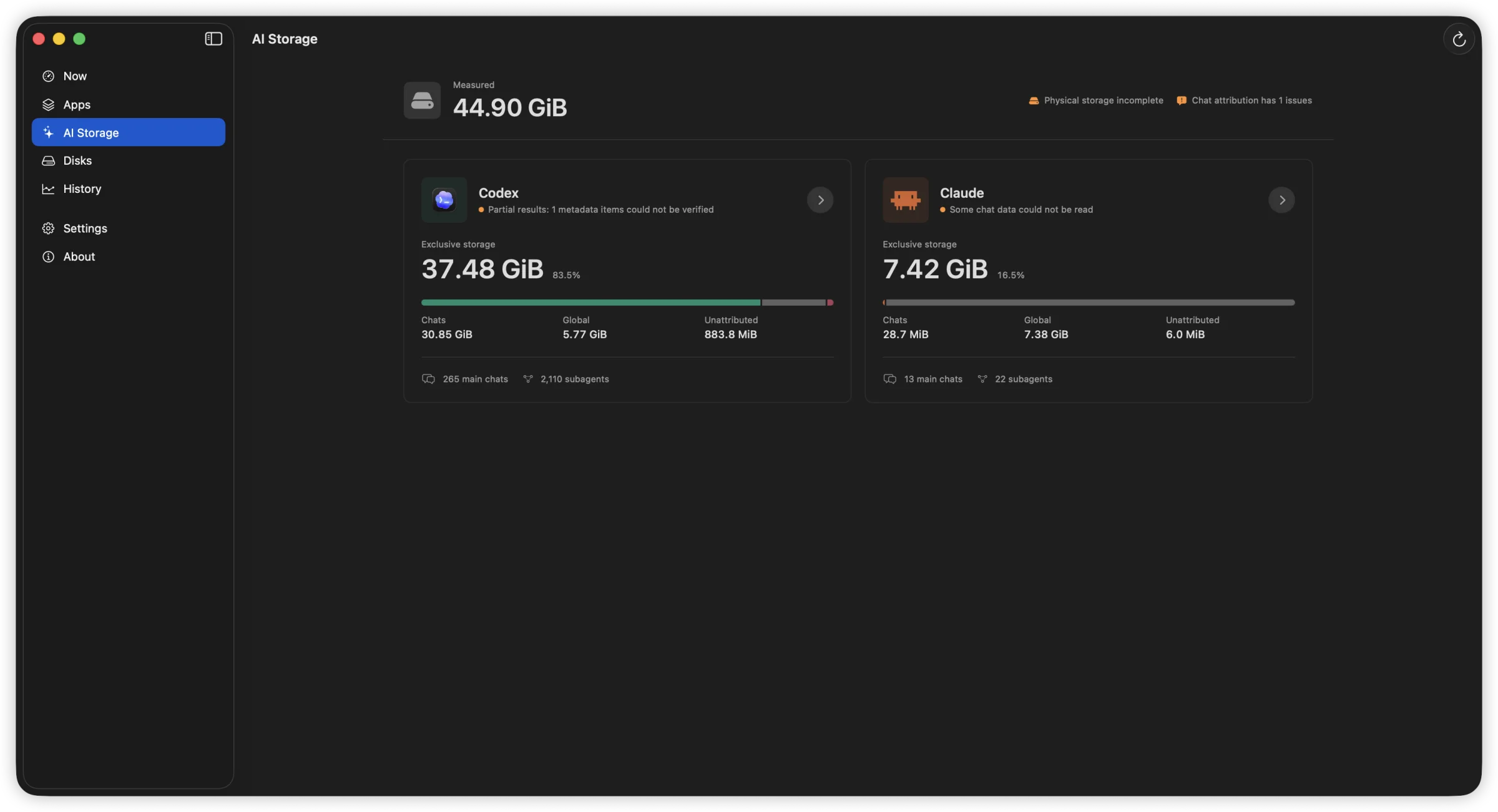
Vue AI Storage séparant les espaces de conversation, globaux et non attribués de Codex et Claude.
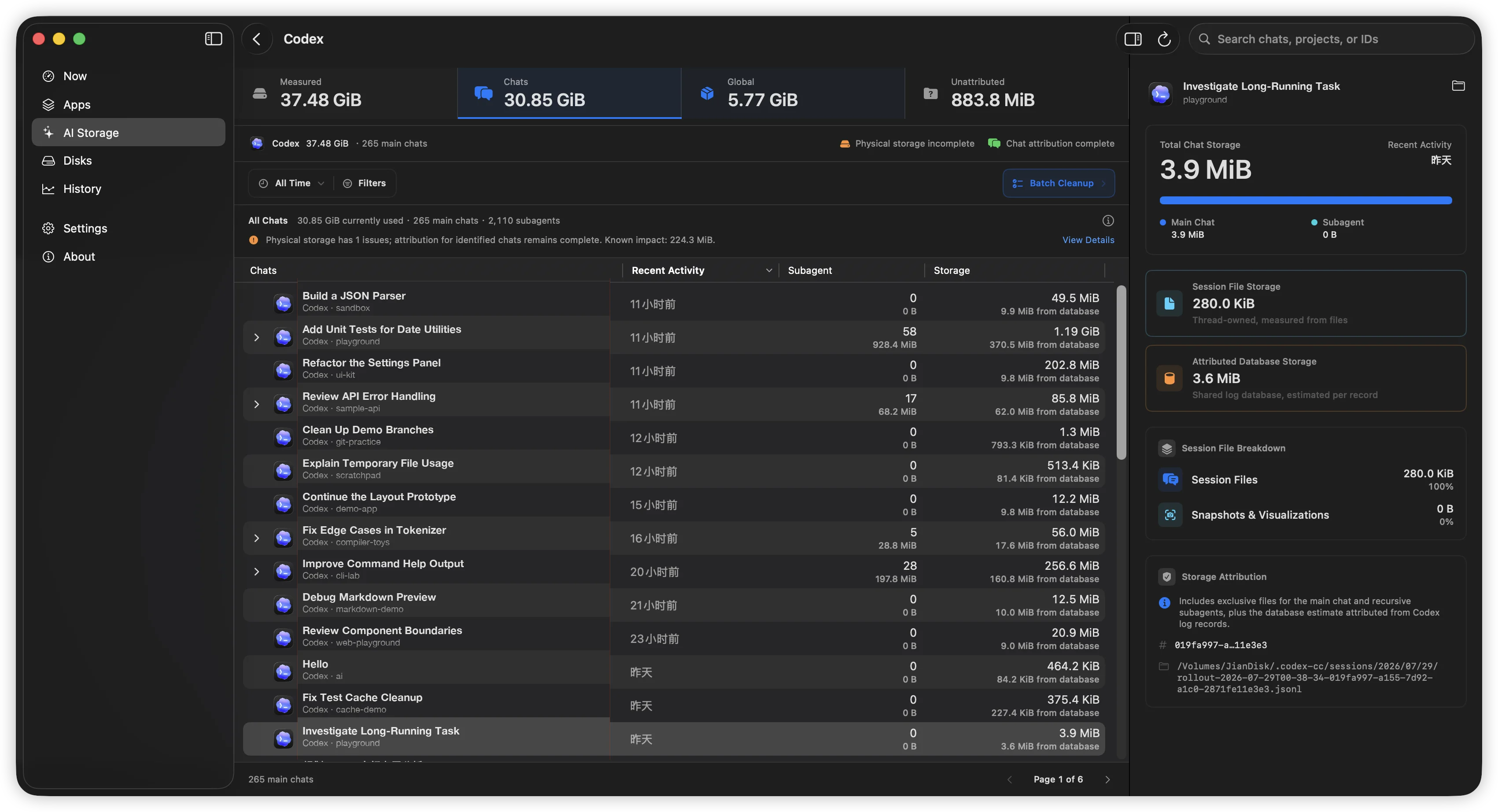
AI Storage de Codex avec activité et sous-agents par thread, plus la composition complète du stockage du thread sélectionné à droite.
Examen du nettoyage groupé avec conversations sélectionnées et espace immédiatement récupérable estimé.

L’analyse ne démarre jamais automatiquement. Les sessions actives ou modifiées sont ignorées et un provider non pris en charge ne déclenche jamais une écriture en base ni une suppression manuelle de transcript. Claude Desktop et Cowork se suppriment dans Claude Desktop.

App Activity

CPU, disk read/write, network download/upload — per process, sortable columns, adjustable widths. Four dimensions at once.

App Activity: 1-min, 15-min, and 1-hour line charts. Hover for exact values. Spot sustained patterns, not just momentary spikes.

File Activity

Open file locations, recently modified directories, and on-demand access tracing — start tracing any path to see who reads or writes it.

Open file locations, recently modified directories, and on-demand access tracing — start tracing any path to see who reads or writes it.
File Activity: Guided workflow into targeted per-file tracing

Disks & Volumes

Device throughput shown with familiar names — Macintosh HD, JianDisk — not cryptic identifiers. See which device is busy.

Temperature, lifetime reads/writes, wear level, spare capacity, power-on hours — only showing fields your hardware actually reports.

Device throughput shown with familiar names — Macintosh HD, JianDisk — not cryptic identifiers. See which device is busy.

Bien plus qu’un moniteur système

FindDiskKiller se concentre sur une tâche précise : remonter d’une activité disque persistante jusqu’à l’app, aux fichiers et au périphérique physique qui en sont à l’origine.

Conventional resource viewsFindDiskKiller
Metrics split across separate viewsApp-centric workspace: disk, CPU, network, files together
Easy to see one-second spikes5-second rate, cumulative total, peak, and sustained patterns
Low-level device identifiersFamiliar volume names and storage relationships first
Missing values mistaken for zeroUnavailable, partial coverage, and reason explicitly shown
File events become a firehose of logsGuided workflow into targeted per-file tracing

Permissions & Privacy

Start monitoring immediately. Grant additional access only when you need it.

1

Open and use

Basic CPU, disk, network, volume, and process data are available without admin privileges.

2

Approve when needed

Un composant en arrière-plan n'est installé que lorsque vous lancez le suivi d'un fichier ou d'un dossier.

Monitoring and analysis happen on your Mac. No process names, file paths, disk serial numbers, or monitoring history are uploaded. No ads, telemetry, or third-party tracking SDKs.

Frequently Asked Questions

How is this different from Activity Monitor?

Activity Monitor shows per-process resource usage but does not combine disk I/O, file activity, and drive health evidence in one workspace. FindDiskKiller adds time-range charts, targeted file tracing, and SMART/NVMe health data — all without sending your data off-device.

Does it work on external drives?

Yes. Physical device throughput is shown for all mounted volumes. For SMART/NVMe health data, availability depends on your enclosure and connection type. Many USB enclosures do not pass through SMART attributes; the UI explicitly marks unavailable data.

What permissions does it need?

La surveillance de base fonctionne sans droits administrateur. Le suivi des accès aux fichiers propose d'installer un composant en arrière-plan lors de la première utilisation. Le suivi des emplacements protégés peut nécessiter l'accès complet au disque dans Réglages Système. Vous gardez le contrôle du démarrage et de l'arrêt du suivi.

Is my data uploaded anywhere?

No. All monitoring, analysis, and display happens on your Mac. No process names, file paths, disk serial numbers, or monitoring history are transmitted. The app contains no analytics, telemetry, or third-party tracking SDKs.

How do I completely remove it?

Quit the app, remove the background component in System Settings > General > Login Items & Extensions, then drag the app from Applications to Trash. No kernel extensions, launch daemons, or launch agents are installed. See the Uninstall page for step-by-step instructions.

Ready to find what's using your disk?

Télécharger pour macOS
Version 1.3.1713.4 MBmacOS 14.0+